Modification / Extension
Front‑End Modifications / Extensions
Implement Main‑Camera capture in real time
Obtain an Apple Developer account.
Request for a license to access the Main Camera API
Add a Swift file that contains the Main‑Camera code.
Add a SwiftUI view that presents the Main Camera output.
Have Vision Pro read OpenAI responses aloud
Use AVSpeechSynthesizer to speak the assistant’s reply.
Change the OpenAI model
In Discover ▸ Views/OpenAIService replace the string
"gpt-4o"with the desired model name.
Use a different AI provider
Possible alternatives: Claude, DeepSeek, Gemini.
Combine voice + image pipelines and integrate with PuppyPy
Ensure the two features work together before linking them to PuppyPy.
Back‑End Modifications / Extensions
Replace the image‑classification model
File: data-processing-main/server2.py Current model:
"google/vit-base-patch16-224"Change the string and restart the server.
Dependencies
To add the Lottie library in visionOS, follow the instruction below:
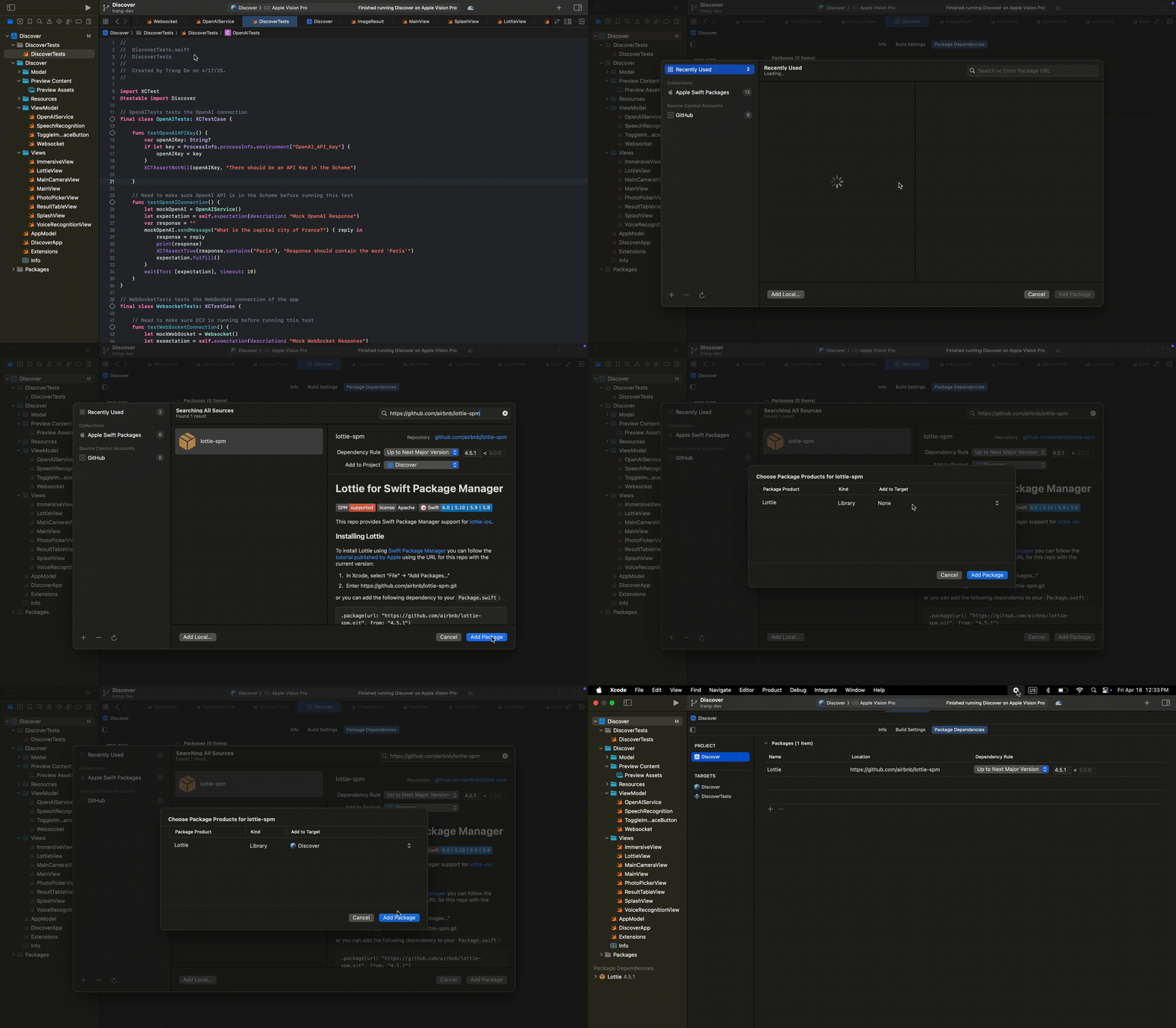
Backend packages are listed in data-processing-main/requirements.txt and requirements2.txt.
Backlog
The backlog is on GitHub Projects → *CS 495 – Apple Vision Pro*
Style Expectations
Can use animations that ship with the Lottie dependency.
Follow the View-Model-ViewModel(MVVM) architecture.
Unit Testing
visionOS
visionOS currently does not support
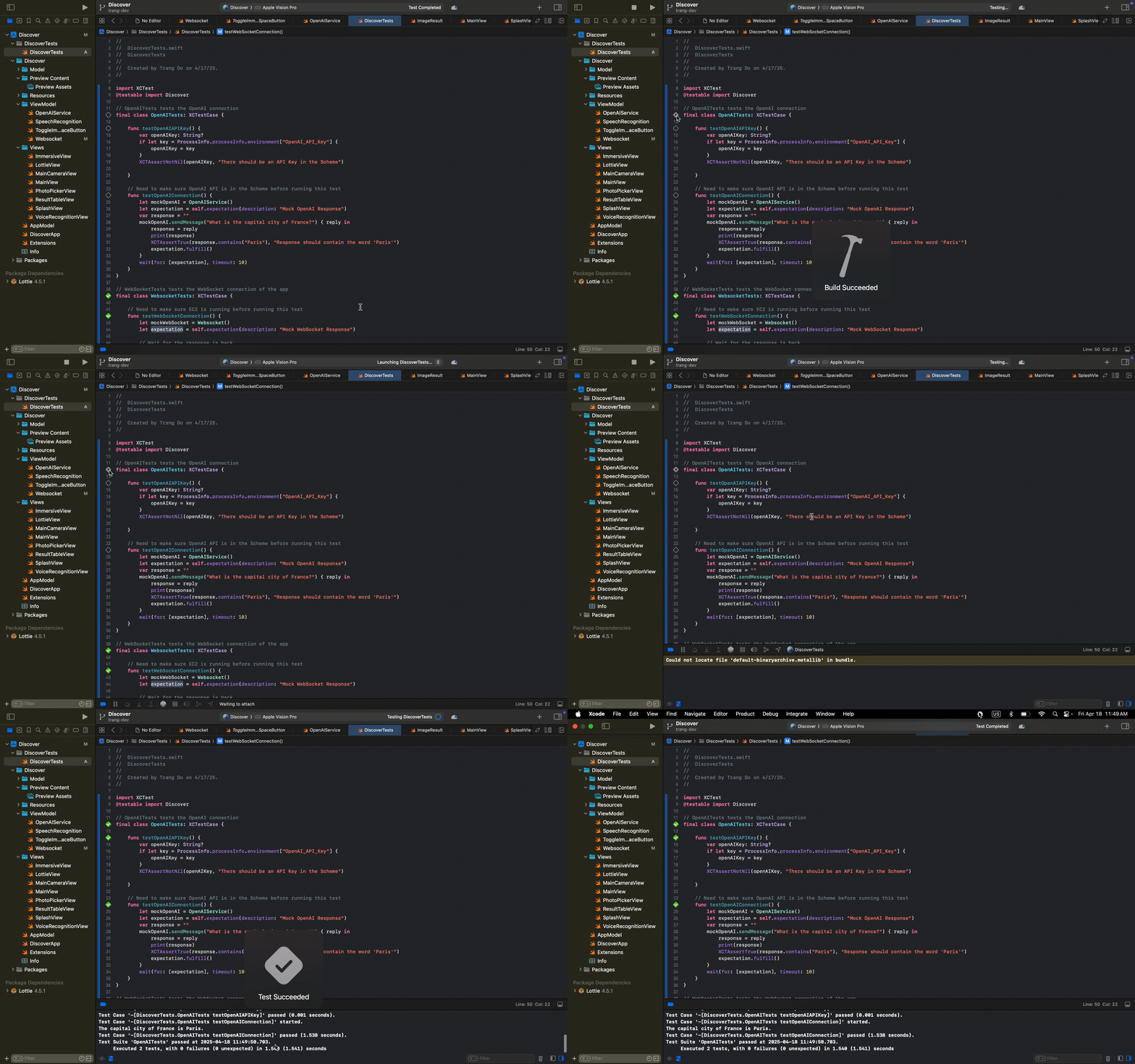
UI Testing Bundle, it only hasUnit Testing Bundleso we can only perform logical testing only.To run test cases, click on the diamond icon alongside the function declaration in the editor gutter as below
Backend
# activate venv
source .venv/Scripts/activate
# run tests
pytest test.py -v